Agent orchestration
Where an AI agent belongs inside a reliable workflow
Separate fixed rules, agent judgment, specialist handoffs, human approval, and recovery before automating a recurring business task.
In this guide
The useful starting point
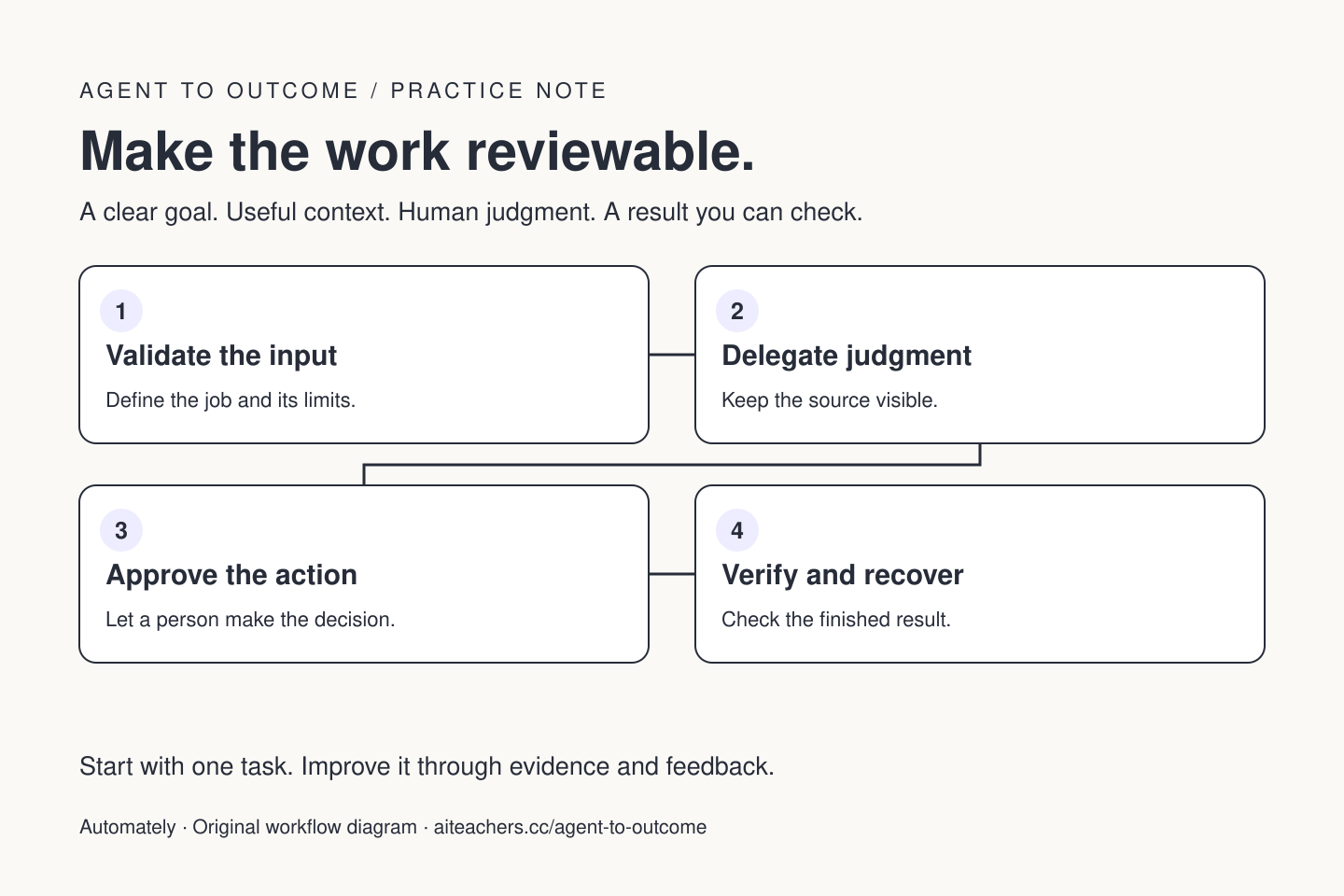
Use fixed rules for predictable steps and an agent for work that needs interpretation or flexible tool choice. Bound the agent’s task, validate its output, attach approval to consequential actions, and make failures recoverable before scheduling the workflow.
Before you choose an agent builder, draw the work. What starts it? Which information is required? Which steps follow a fixed rule? Where does interpretation matter? What changes in another system? A useful automation can combine ordinary software, an agent, and a person without turning every step into a model decision.
Use a rule when the rule is clear
A submitted form can require an email address, reject an empty field, assign a unique record ID, and store a timestamp through deterministic code. These are not jobs that need open-ended reasoning. Rules are also useful for budget limits, allowed destinations, and checking whether an action has already completed.
Use an agent where the input varies and judgment helps: interpreting a customer’s request, finding relevant documentation, drafting a useful response, or choosing among approved research tools. In n8n’s AI Agent node, the model works with connected tools and decides which to call. The surrounding workflow still needs explicit design.
Build one complete example
Consider an illustrative enquiry workflow. A form creates a record. Fixed checks validate required fields and detect duplicates. An agent reads the enquiry and the approved service catalogue, then drafts a summary, likely fit, questions, and a proposed reply. A person reviews the recommendation. Only an approved action sends the reply or changes the CRM stage.
Write the output structure before building: enquiry ID, source references, classification, reasons, missing information, and draft. Use an “uncertain” result instead of forcing every case into a confident category. Reject an output that lacks the record ID or points to a source outside the approved set.
Understand the harness
The model generates the next response or action proposal. The harness is the surrounding software that manages the working loop: tools, context, state, permissions, execution, limits, and logs. A capable model in a poorly bounded harness can still repeat actions, lose important context, or continue past the intended scope.
When comparing builders, ask what they enforce outside the prompt. Can you limit tools, cap iterations, preserve run IDs, inspect tool arguments, and stop a run? Where are credentials stored? What happens after a timeout? These questions describe the operating system of the workflow more usefully than a long list of model names.
Add specialists only for a clear reason
A research agent can return evidence while a separate drafting agent turns approved findings into a response. n8n’s AI Agent Tool supports delegation from a parent agent to specialist agents. Define each specialist’s input, output, allowed tools, and stopping point. Give one coordinator responsibility for the final deliverable.
Parallelize independent work, not conflicting edits to the same record. Keep shared writes sequential. Separate agent names do not guarantee separate access: Grok Bot documents that an account’s Bots share one cloud computer and its files and logins. Inspect the real boundary before handling different clients’ data.
Make approval specific and testable
A useful approval request shows the action, target account, recipient or record, exact proposed change, and reason. In n8n, tool review can pause execution until a person approves or denies it. Test denial: the workflow should stop that action and report the result clearly, rather than retrying through another route.
Start with read-only or draft work when learning a new integration. Verify the actual destination after an approved change. Keep a record of what succeeded before retrying a partial failure. An idempotency key or completed-action check can prevent a repeated event from creating two messages or records.
Schedule the process after it works once
Run a normal case, a missing-data case, a duplicate, a tool failure, and an approval rejection. Decide how the workflow escalates and what a person needs to resume it. Capture the model, instruction, and workflow versions so that a changed result can be investigated.
Then choose a schedule or event trigger and a small usage budget. Review accepted results, intervention time, and failed runs. The aim is a workflow you can explain, support, and improve—not merely a demonstration that works when all inputs happen to be perfect.
Put this into practice
Map one process from trigger to verified result, including the exception that causes the most rework. Start with the free Agent to Outcome tutorial, then use the workflow planner to map your goal, context, tools, human checkpoints, and success criteria. Explore the Agent to Outcome workshop and kit for a guided learning path. For implementation or team training, see Waymaker Agency’s agent workflow service.
Sources and further reading
- n8n: AI Agent node
- n8n: AI Agent Tool and specialist delegation
- n8n: human review for tools
- Grok Bot: shared computer, skills, and routines
Sources checked October 22, 2026. Review the linked publisher information for current details.
Put one idea to work
Separate rules, AI assistance, review, and recovery before turning a useful task into an unattended process.
Map your first workflow →Explore more from AutomatelyKeep practicing
 Automation reliability
Make a daily AI automation useful on the days things go wrong
Design a daily AI workflow with fresh inputs, visible review, duplicate protection, failure recovery, and a clear owner.
October 22, 2026 · 5 min read Freelance work
Upwork MCP for automation specialists: sell a workflow you can support
A practical Upwork MCP workflow for automation builders and operations specialists: project fit, honest proposals, bid review, portfolio evidence, and a small side-work test.
October 20, 2026 · 4 min read